I Do All My Development From My Phone

By Scott Brady
Software engineer in Seattle and DIY builder who makes the CutOnce construction calculator.
- ai
- agents
- claude-code
- mobile
I do all my development from my phone. A Mac mini at home runs Claude Code, and I reach it through the Claude app and the GitHub app. I uninstalled Visual Studio Code from both the Mac mini and my MacBook Pro. The exception is final testing on real devices and pushing the release, which I do on my MacBook Pro about once a week.
One command on the Mac mini
I run this on the Mac mini:
claude rcclaude rc is an alias for claude remote-control. It starts Remote Control in server mode, which waits for connections from my other devices. The session then shows up in the Claude mobile app and on the web at claude.ai/code, and I can use it from either place.
The work still happens on the Mac mini. The Remote Control docs put it this way: “Remote Control sessions run directly on your machine and interact with your local filesystem.” My repositories, simulators, emulators, and tools are all on that machine, and the phone is a window onto the session. The connection is outbound only. According to the same page, Remote Control “never opens inbound ports on your machine,” so there is no port forwarding or VPN to set up.
Remote Control needs a Pro, Max, Ultra, Team, or Enterprise plan and a claude.ai login on the host machine. API keys are not supported.
The agent loop runs from the same connection
Most of my development is the agent pipeline I described in One Bug’s Trip Through My Agent Pipeline. I start it from the remote session with this:
/loop /issue-manager/issue-manager is my own skill. It picks up GitHub tickets and takes each one through planning, review, implementation, visual QA, and a demo. /loop reruns it after each pass finishes. I leave off the interval, so Claude picks the wait each time, between one minute and one hour.
Each pass ends with a status report I can read in the Claude app:
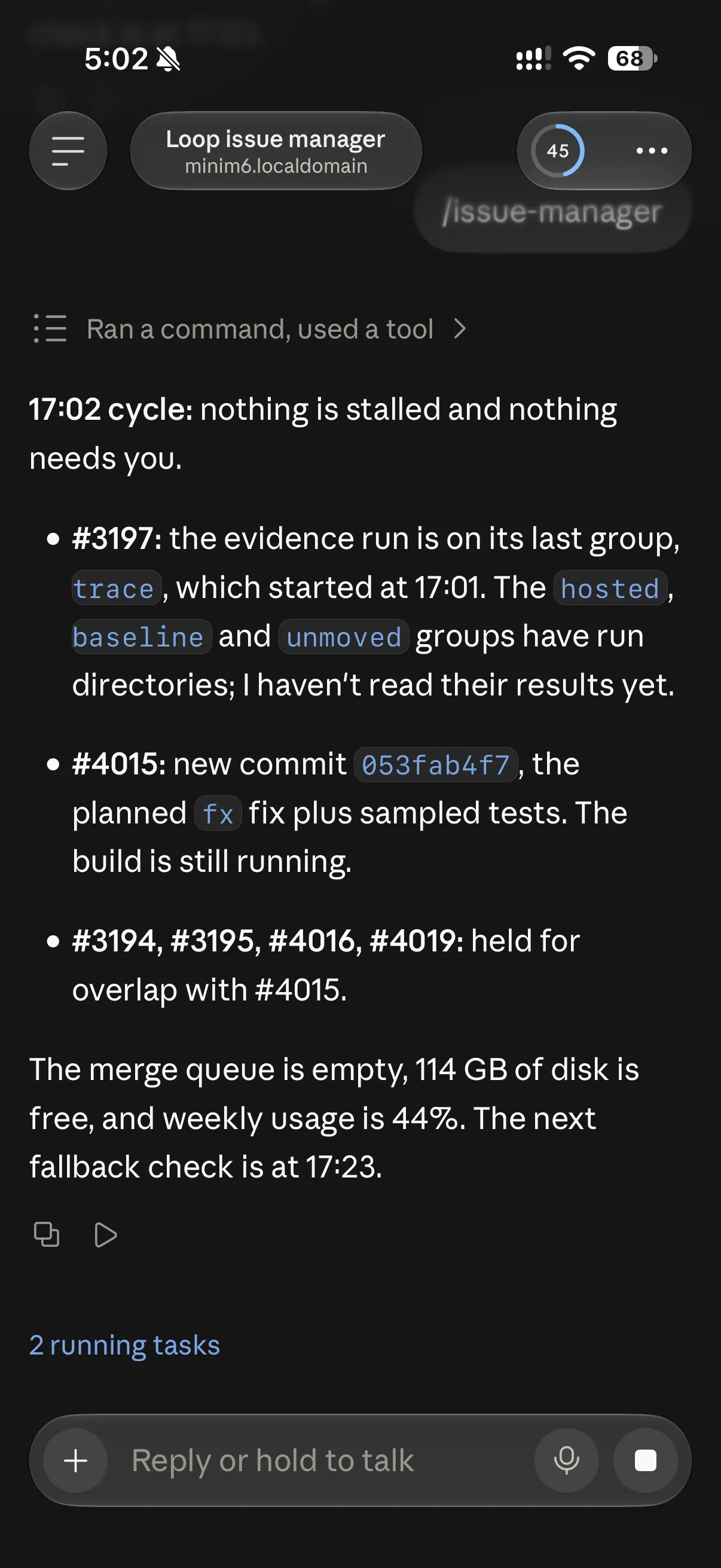
When the loop needs an answer from me, I give it from my phone. The Remote Control docs say permission prompts and questions are forwarded to the connected device, and “Claude Code keeps permission prompts and AskUserQuestion questions open until you answer them.”
New sessions for ad hoc work
The loop is not the only session. I also start new Claude sessions from my phone for one-off tasks and questions. They run on the same Mac mini, against the same repositories, while the loop keeps going. Server mode has --spawn and --capacity flags that control where those sessions run and how many can run at once.
The GitHub app covers the rest
All work on CutOnce, my construction calculator app, is tracked as GitHub tickets. The engineering plan, the reviews, and the demo screenshots are posted to the ticket. That means the GitHub app shows me where every piece of work stands. I file tickets there, read the plan summary and open questions, approve plans, and look over the demo screenshots.
What the setup depends on
The Mac mini has to keep running, so its macOS settings tell it to never sleep. The Remote Control docs say “your computer has to stay on and the claude process has to keep running.” In server mode, a long network outage ends the process. The limitations section says “Claude Code gives up after roughly 10 minutes and the claude remote-control process exits.” A desktop that stays home on a wired connection suits this better than a laptop that sleeps when the lid closes.
If you want to try this, you need a computer that stays on, claude rc running in a project on it, and the Claude app on your phone.
The weekly exception
Release day still needs a computer in front of me. About once a week I use Xcode and Android Studio on my MacBook Pro to build the iOS and Android apps and load them on my real devices for final testing. I push the new releases from the MacBook Pro too.
Where I check in
Checking on work or sending an agent a request takes a minute or two, so it fits into time I already have. I do it while I’m at the library with my kids, in line at the grocery store, or sitting on the couch.
The first tenet in the pipeline post is “Keep working while I’m spending time with family or sleeping.” This setup is how I follow it. The loop on the Mac mini keeps working through tickets, so a lot of work gets done, and my part is a few short check-ins on my phone. That keeps my screen time low when I’m spending time with my kids.